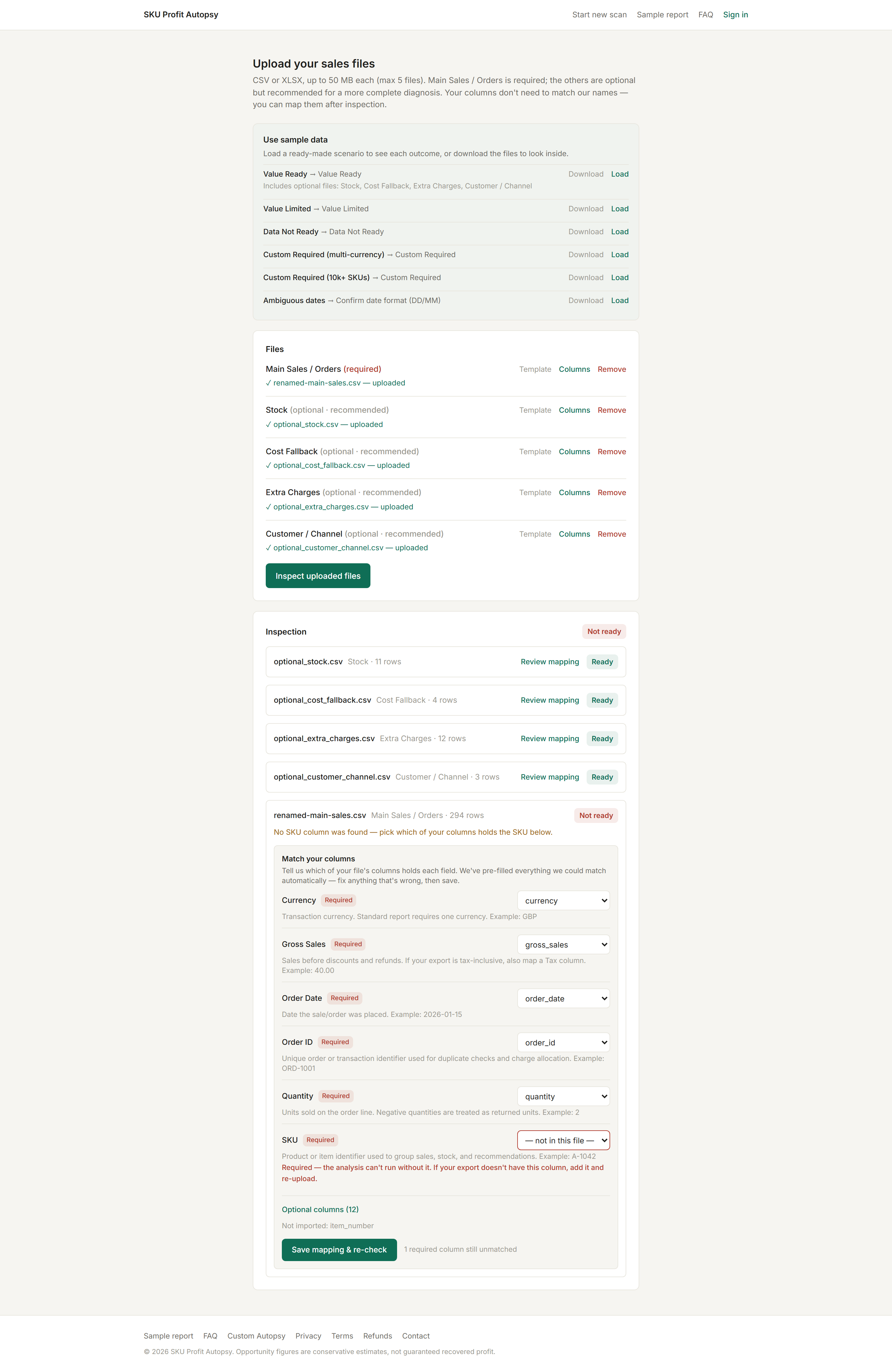
Inspection reads your headers and matches them against a dictionary of common export names. When a required column can't be matched — say your file calls the SKU item_number — the file is flagged and the mapping editor opens right there. Nothing about your file needs to change.
How to fix it
- Each field shows the column it matched — and flags what is missing in red.
- For every flagged field, pick the right column from your file in the dropdown. Columns you don't need can be ignored.
- Select Save mapping & re-check. Inspection re-runs instantly; the chip flips to READY when the required fields are covered.
Your choices are saved with the file and survive re-inspection — you decide once. User mappings always win over automatic matching.
If the column truly isn't in the file
Mapping can't invent data. If your export genuinely has no SKU or sales-amount column, re-export with it included (see which file to export). Missing costs are different — add a separate Cost Fallback file (SKU, cost) instead of re-exporting.
Nothing proceeds on a guess: a wrong automatic match on a required field asks for your confirmation too, so a fuzzy match never silently drives your numbers.