SKU Profit Autopsy works from the files you already have. There is no marketplace login and no API key: you export a CSV or Excel file, upload it, and the engine calculates true contribution profit per SKU — then shows you a conservative recoverable-opportunity figure before you pay anything.
The ten-minute path
- On the homepage, choose Start free scan. A private workspace is created instantly — no signup.
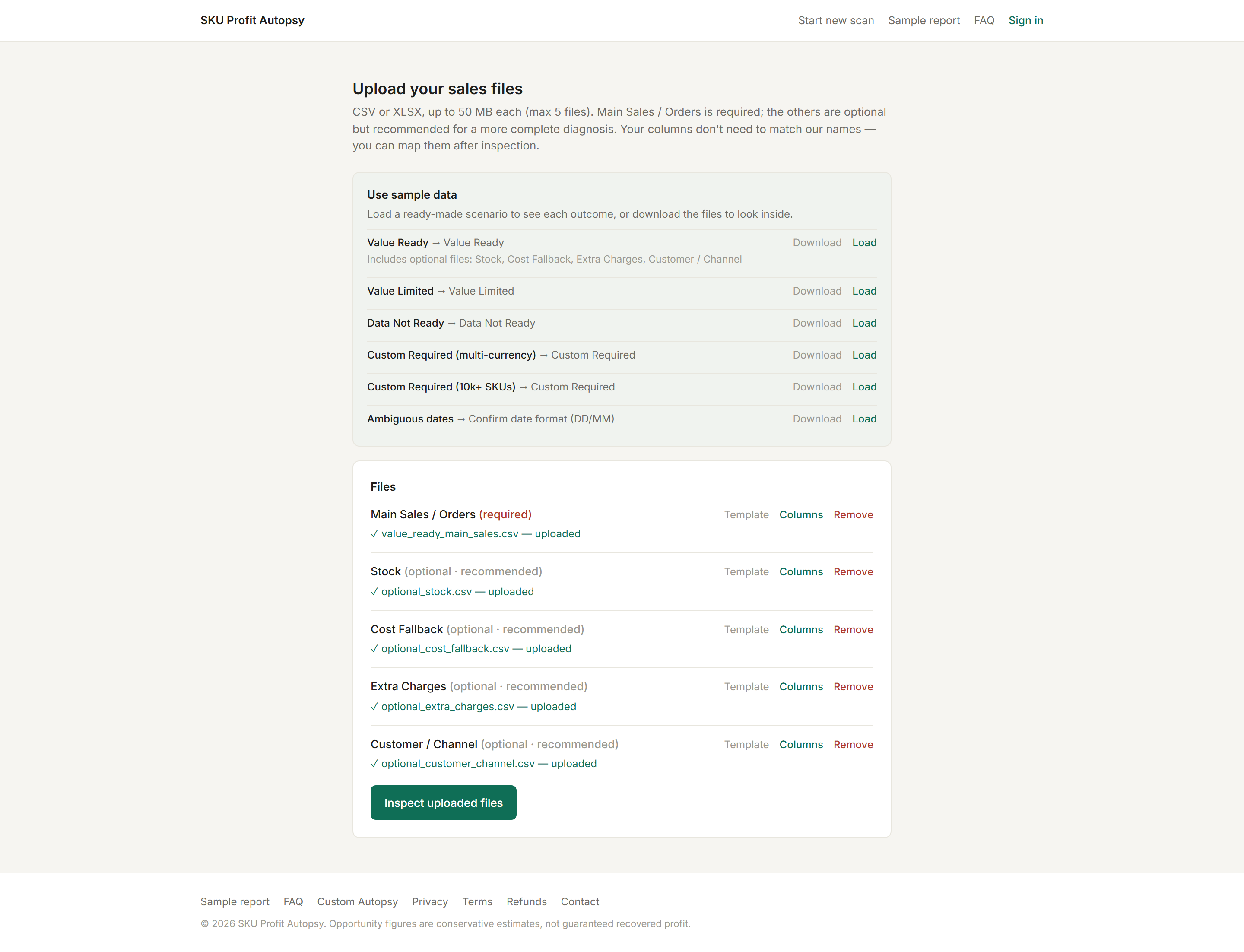
- Not ready to use real data? Load a sample scenario with one click and see the whole flow risk-free first.
- Export your orders file (see which file to export) and drop it into the Main Sales / Orders slot.
- Add optional files if you have them — stock, unit costs, order-level charges, customer groups. More files, deeper diagnosis.
- Select Inspect uploaded files. If anything is ambiguous — renamed columns, DD/MM dates, decimal commas — the product stops and asks instead of guessing.
- Select Run analysis, then open your free preview.
What the preview shows
Data readiness, profit confidence, your top leaks (named, counted, detail locked), and the headline: a conservative recoverable opportunity. If it is at least $495 — five times the price — the report is worth unlocking. If it is not, the product says so. That is the value gate.
Have your unit costs available. Cost data is what turns revenue into profit — if your orders export has no cost column, add a two-column Cost Fallback file (SKU, cost) and coverage problems disappear.